- Key takeaways
- Most credit losses are process problems: lost bills, late payment records, unbanked and forgotten cheques.
- Send every invoice on WhatsApp as well as on paper, so shops have a clear record.
- Record cash, cheque and credit payments at the shop, where they happen.
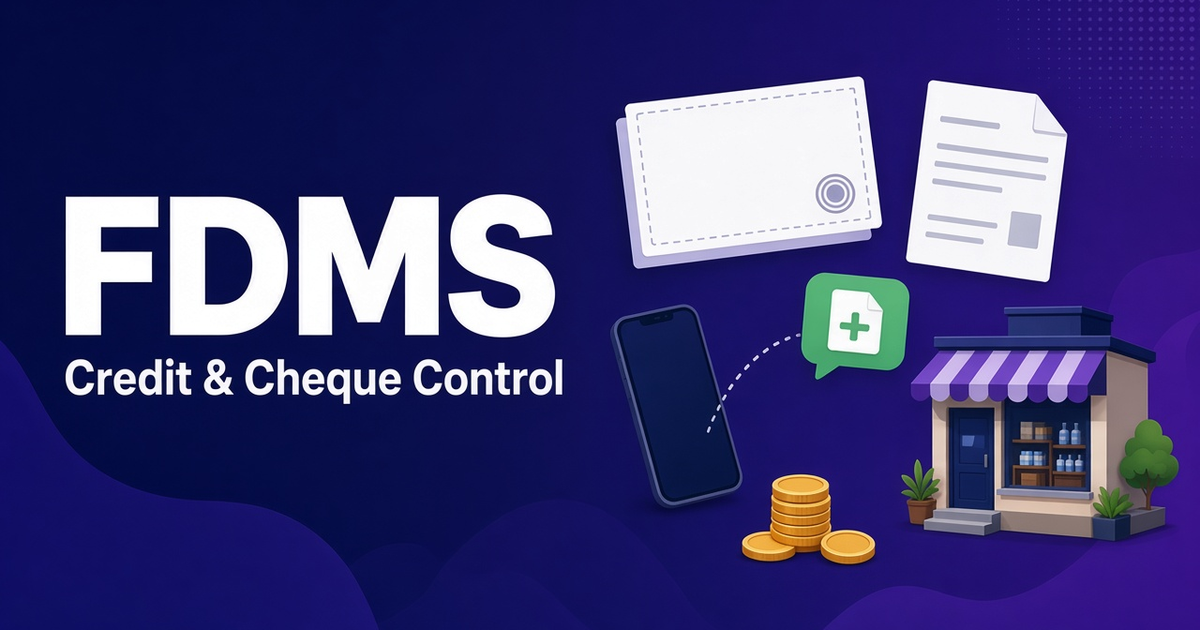
- Track every cheque from collection to clearance, and put bounced cheques straight back on the shop's balance.
- Send receipts and overdue reminders automatically by SMS or WhatsApp.
- Collect a bounced cheque's balance before taking a new credit order from that shop.
On this page
- Where distributors lose money on credit
- Step 1: Issue every invoice digitally, and send it on WhatsApp
- Step 2: Record payments where they happen
- Step 3: Track every cheque until it clears
- Step 4: Chase overdue balances automatically
- Step 5: Give shops a way to check their own balance
- Step 6: Review credit using real reports
- Step 7: Make month-end easy for your accountant
- A simple credit policy you can run in FDMS
- Try FDMS free for a month
Quick answer: To cut credit and cheque losses, record every invoice and payment the moment it happens, track each cheque from collection to clearance, act on overdue balances quickly, and send shops WhatsApp invoices and reminders. FDMS does this with pending-payment tracking, invoice PDFs sent on WhatsApp, and two optional plugins. Cheque Tracker puts bounced cheques straight back on the shop's balance, and SMS & WhatsApp Alerts sends receipts and overdue reminders automatically.
For most Sri Lankan wholesalers, credit isn't optional. Shops expect 7, 14 or 30 days, and many pay with post-dated cheques. The risk isn't only a bad customer. It's the cheque that sits in a rep's bag for a week, the bounced cheque nobody adds back to the ledger, or the invoice the shop says it never received. These are process problems, and process problems can be fixed.
Where distributors lose money on credit
- Invoices the shop "never got". A paper bill is easy to lose, and that makes it easy to dispute.
- Payments recorded late. Cash and cheques collected on the route are entered days later, if at all.
- Cheques not banked on the due date. A post-dated cheque is only useful if someone deposits it on the right day.
- Bounced cheques forgotten. The bank returns the cheque, but the shop's balance still shows "paid".
- No follow-up on overdue balances. Without a list of who owes what and since when, collections depend on memory.
None of these steps needs a new team. They need one system where invoices, payments and cheques are recorded once, by the person who handled them, and are visible to the owner on the same day.
Step 1: Issue every invoice digitally, and send it on WhatsApp
With FDMS orders, invoices and payments, orders come from a rep in the field or are entered in the office. You approve them one at a time or in bulk, then print the invoice on an A4 or dot-matrix printer, or send the invoice PDF straight to the customer on WhatsApp in one tap. WhatsApp sending works once you connect your WhatsApp API in FDMS settings (see the official WhatsApp Business Platform page for how the API works).
A shop that receives "INV-10482, Lanka Stores, Total Rs 24,750.00, Paid Rs 15,000.00, Due in 14 days Rs 9,750.00" on WhatsApp has a clear record and far less room to argue later.
Step 2: Record payments where they happen
Reps record cash, cheque and credit payments against invoices in the field sales app. Delivery drivers collect cash and cheques at the door in the delivery app. Because the office sees these payments straight away, the gap between "collected" and "recorded" disappears. The live dashboard shows today's sales, money collected and outstanding payments throughout the day.
Step 3: Track every cheque until it clears
The Cheque Tracker plugin puts every cheque your reps and drivers collect into one list, with its number, bank, branch and date captured in the field and delivery apps. You can see:
- which cheques are due to be banked today,
- cheques marked deposited and cleared,
- totals for cheques in hand, due today and bounced this month.
When a cheque bounces, the amount goes straight back onto the shop's balance and the rep is told, so no bounced cheque is forgotten. In practice, that means your rep knows to collect from that shop on the next visit, before taking a new credit order.
Step 4: Chase overdue balances automatically
FDMS shows unpaid invoices and reminds you when they fall due. The SMS & WhatsApp Alerts plugin goes further: it messages shops when an order is approved, sends a receipt when a payment is recorded, and sends polite reminders when a balance is overdue. You write the messages your way, send yourself a test, and see a log of every message with its delivery result. SMS works with Notify.lk or any web SMS gateway.
Payment receipts by SMS or WhatsApp also protect you: the shop owner knows exactly what the rep collected.
Step 5: Give shops a way to check their own balance
With the Customer Self-Ordering Portal, every shop gets its own secret link, with no app or password needed, sent on WhatsApp. Shops can order from your live price list, check their balance and download invoice PDFs. Orders arrive as pending orders for your approval, so you stay in control of credit.
Step 6: Review credit using real reports
FDMS profit and reports includes payment breakdowns, rep performance (sales and collections) and route analysis, and you can export any of them to PDF or Excel. Customers who stop buying are flagged automatically, which often signals a credit problem before it grows. The AI-powered insights point out falling routes and shops, for example "6 shops have not ordered in 30 days. Send a rep this week."
Step 7: Make month-end easy for your accountant
The Accounting Export plugin exports approved sales, payments, customer returns, supplier purchases and expenses as a balanced double-entry journal. You can download a general journal CSV for any accounting software, a QuickBooks Online journal import or a Xero sales invoice import, using your own chart of accounts. If you are VAT-registered (Sri Lanka's standard rate is 18%, and registration is required above Rs 60 million in taxable supplies over 12 months or Rs 15 million in a quarter), confirm your invoice and tax reporting needs with your accountant. The Inland Revenue Department's VAT page is the official source for current VAT rules.
A simple credit policy you can run in FDMS
- No order leaves the office without an approved invoice in the system.
- Every invoice goes to the shop on WhatsApp as well as on paper.
- Every payment is recorded by the rep or driver at the shop, and the shop gets a receipt message.
- Cheques due today are banked today, using the Cheque Tracker list.
- A bounced cheque means the shop's balance is collected before a new credit order is taken.
- Overdue reminders go out automatically, and the owner reviews the outstanding list weekly.
Credit control works best alongside tight stock control. See van sales and stock management, and compare full systems in our guide to distribution management software in Sri Lanka. To check costs, read the DMS software price guide.
Try FDMS free for a month
Get paid sooner and stop losing track of cheques. Start your free FDMS month with no credit card, or book a free walkthrough with your own customers and routes.
Start your free month · Book a demo
First month free · No credit card required · No setup fees · Questions? [email protected]
Frequently asked questions
How can I send invoices to customers on WhatsApp?
In FDMS, once you connect your WhatsApp API, you can send the invoice PDF to the customer on WhatsApp in one tap from the order or invoice. Brochures and payment reminders can be sent the same way.
Can FDMS send automatic payment reminders to shops?
Yes. The SMS & WhatsApp Alerts plugin sends order-approved messages, payment receipts and polite overdue balance reminders by SMS, WhatsApp or both. It works with Notify.lk or any web SMS gateway.
How do distributors track bounced cheques?
With the FDMS Cheque Tracker plugin, each cheque's number, bank, branch and date are captured in the field and delivery apps. When a cheque bounces, the amount goes back onto the shop's balance automatically and the rep is alerted.
Can shops check their outstanding balance themselves?
Yes. With the Customer Self-Ordering Portal plugin, each shop gets a secret link to check its balance, see orders, download invoice PDFs and place new orders for your approval.
Can FDMS export data to QuickBooks or Xero?
Yes. The Accounting Export plugin creates a balanced double-entry journal as a general CSV, a QuickBooks Online journal import or a Xero sales invoice import.
Put these ideas to work with FDMS
Routes, orders, delivery, stock and collections in one place — for the office and the field.